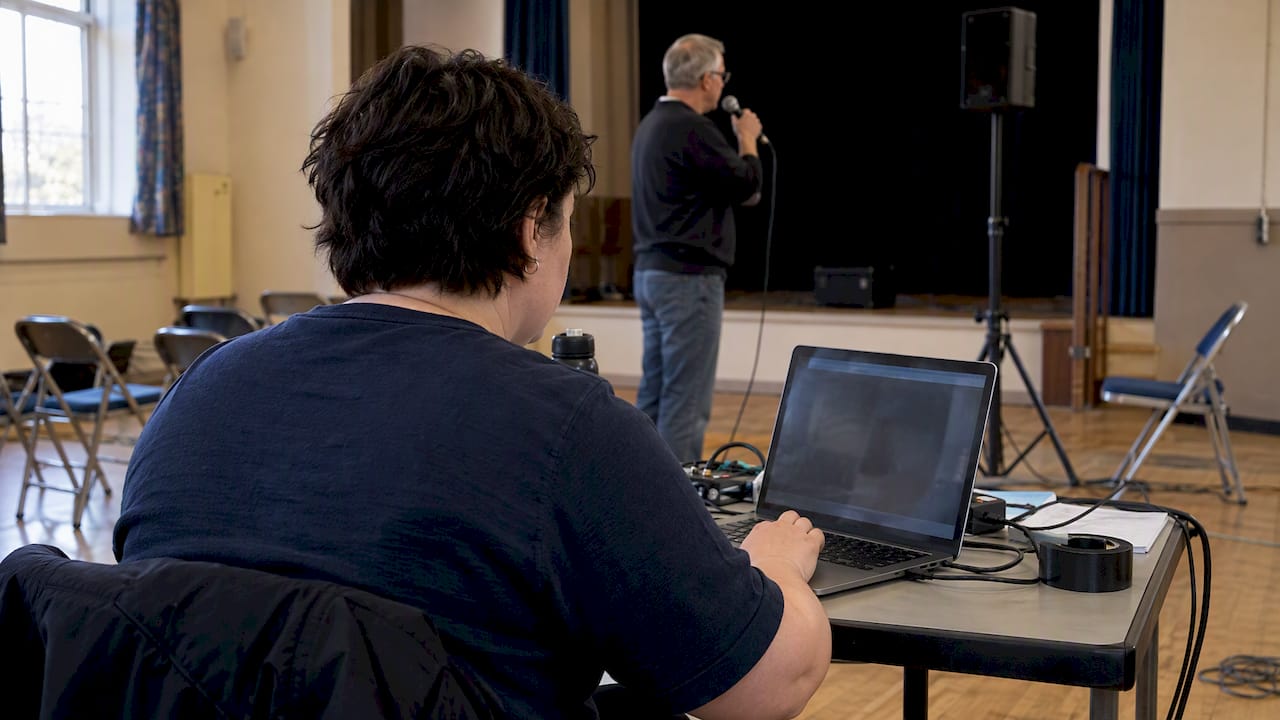
Use a moderated Q&A widget rather than open chat, enable live captions with an assigned notetaker, and rehearse every interactive feature before you go live. These three steps prevent the most common failures in online events: unanswered questions, inaccessible captions, and technical surprises that derail an otherwise strong session.
TL;DR:
- Use a dedicated Q&A queue for formal or large events; reserve chat for informal reactions, and choose one official question channel to prevent submissions from splitting.
- UK guidance calls for synchronized captions identifying speakers and sounds, a transcript, and tests before the event for keyboard access and screen reader compatibility.
- Assign separate host, moderator, notetaker, and technical lead roles; set moderation rules for personal data, and redact identifying details before publishing transcripts or recordings.
- Maths sessions work better when students bring attempted past paper questions, receive worked methods tied to exam marks, and get a clear practice task afterward.
- Count questions by topic across sessions, then revise study guides where the same confusion keeps returning rather than treating each question as isolated.
Table of Contents
- Why use live Q&A: benefits for engagement and learning
- Planning checklist before the event: roles, rules and channels
- Accessibility and compliance essentials for UK events
- Technical setup: enabling Q&A, captions and integrations on common platforms
- Running the session: formats, pacing and answering protocol
- Measuring success and follow-up: what to capture and share after the event
- Difference between chat and Q&A features and when to use each
- Best practices for engaging students during live Q&A to enhance learning
- Techniques for encouraging student participation and question formulation
- Integrating live Q&A sessions with revision materials and exam preparation strategies
- Handling frequently asked questions and common misconceptions in maths live Q&A
- Using analytics and feedback from live Q&A sessions to improve future study guides and materials
- What running live Q&A has taught us about getting it right
- An alternative approach: how we run live Q&A for maths students
- FAQ
- Sources
Why use live Q&A: benefits for engagement and learning
Live Q&A gives us a real-time read on whether our audience is following, confused, or ready to move on. A cluster of similar questions tells us instantly where to slow down, something a one-way webinar never reveals. Research on real-time audience feedback shows that presenters use live Q&A as a diagnostic tool, reading the room and adjusting delivery mid-session rather than waiting for feedback forms afterwards.
This matters because engagement and retention both improve when attendees have a stake in the conversation rather than sitting passively through slides.
- Live Q&A surfaces confusion immediately, so we can clarify before moving to the next topic.
- Pairing Q&A with polls gives quieter attendees a low-pressure way to participate.
- A single sharp question from an attendee can reshape the emphasis of the rest of the session.
Chat adds a social layer, but Q&A is what turns a broadcast into a conversation.
Planning checklist before the event: roles, rules and channels
A session only runs smoothly when the groundwork is done well before the first attendee logs in. Assign responsibilities clearly, agree the rules, and prepare for the questions you can already predict.
- Define four roles: a host who presents, a moderator who triages questions, a notetaker who reads questions aloud or summarises chat, and a technical lead who watches for audio or caption faults.
- Choose one channel for questions, either the platform’s dedicated Q&A widget or chat, and announce it clearly at the start so attendees are not split between the two.
- Agree a moderation policy covering personal data and offensive content before the event, including who has authority to hide or delete a submission.
- Block out time in the run sheet for triage, not just for answering, so the moderator can group duplicates and flag anything needing a longer response.
- Draft saved answers or resource links for the questions you already know will come up, so the moderator can post them instantly rather than typing live.
Pro Tip: Give your moderator a private backchannel, a second chat thread or messaging app, so they can flag urgent issues to the host without interrupting the session on screen.
Accessibility and compliance essentials for UK events
Accessibility is not an add-on for UK organisers, it is a planning requirement. GOV.UK’s accessibility blog recommends testing captions, screen reader behaviour on slides, and the keyboard accessibility of every interactive feature before you host an online event. This testing step catches faults that are nearly impossible to fix once attendees are already in the room.
- Provide live captions that identify who is speaking and that stay in sync with the audio, with a full transcript published afterwards.
- Consider British Sign Language interpretation, video relay interpreting, or electronic notetaking as reasonable adjustments where an attendee requests one.
- Keep timestamped caption logs and records of any adjustments made, so you have evidence if an attendee or regulator asks how you met your obligations.
Reasonable adjustments for disabled attendees sit within the duties set out in the Equality Act 2010, which UK accessibility guidance lists alongside Ofcom rules and WCAG 2.1 AA as common reference points for live video content. Meeting the letter of the law matters less than building a session that genuinely works for everyone in it, but the two tend to point in the same direction.
UK public-sector accessibility guidance specifies that captions should identify speakers and non-speech sounds, and that transcripts should accompany any recording you publish.
Technical setup: enabling Q&A, captions and integrations on common platforms
Every major webinar platform handles Q&A differently, and assuming they all behave the same way is how organisers end up firefighting mid-session. Check your platform’s specific moderation controls well before the event, not on the day.
- Confirm whether your platform treats Q&A and chat as separate tools with independent moderation, since some only let you pre-approve Q&A submissions and not chat messages.
- Decide between built-in automatic captions and a professional captioner based on how technical your content is. Zoom requires the host to switch captions on, while Teams and Google Meet let attendees enable their own, and auto-captioning supports a limited set of languages with variable accuracy.
- For content with dense terminology or numbers, a human palantypist will outperform automatic captioning on accuracy, which matters when a misheard figure changes the meaning of an answer.
- Run a full pre-flight test covering audio levels, caption synchronisation, keyboard navigation through every interactive element, and screen reader compatibility with your slides.
Testing each of these in isolation, rather than assuming they will work together on the day, is what separates a session that runs smoothly from one that does not.
Running the session: formats, pacing and answering protocol
How you structure the Q&A window matters as much as the questions themselves. Pick a format that suits your content and audience size, then stick to it consistently.
- Choose a format: live oral answers work well for smaller, informal sessions, typed replies suit larger audiences where not every question can be read aloud, and panel-style curated Q&A suits events with multiple speakers.
- Triage incoming questions by grouping duplicates together, prioritising the ones attendees have upvoted, and flagging anything too technical or detailed for a quick answer to a follow-up resource instead.
- Protect your timekeeping by allocating a clear block for Q&A in the agenda, giving attendees a visible countdown or verbal warning before it closes, and using a quick poll to re-engage the room if energy dips midway through.
A moderator who reads questions aloud, rather than leaving attendees to read a slide, also helps participants who process spoken information more easily than text, a point raised directly in sparqs guidance on accessible webinars.
Pro Tip: Answer the easiest, most common question first. It builds momentum and buys your moderator time to triage the harder ones properly.
Measuring success and follow-up: what to capture and share after the event
The value of a live Q&A does not end when the session does. What you do in the following days determines whether attendees feel the event was worth their time.
- Publish an edited transcript, a curated FAQ built from the actual questions asked, and links to relevant resources, removing or redacting any personal information first.
- Track how many questions came in, what proportion of attendees submitted or voted on one, and how many people downloaded any resources you shared.
- Send a short follow-up survey to catch questions that went unanswered, which gives you a ready-made list of topics for your next session or piece of content.
ICO guidance on events and GDPR is clear that live Q&A carries real data protection risk, since names and personal details often appear in chat and Q&A logs. Define your redaction policy before you publish anything, and keep an audit trail of what was removed and why.
Difference between chat and Q&A features and when to use each
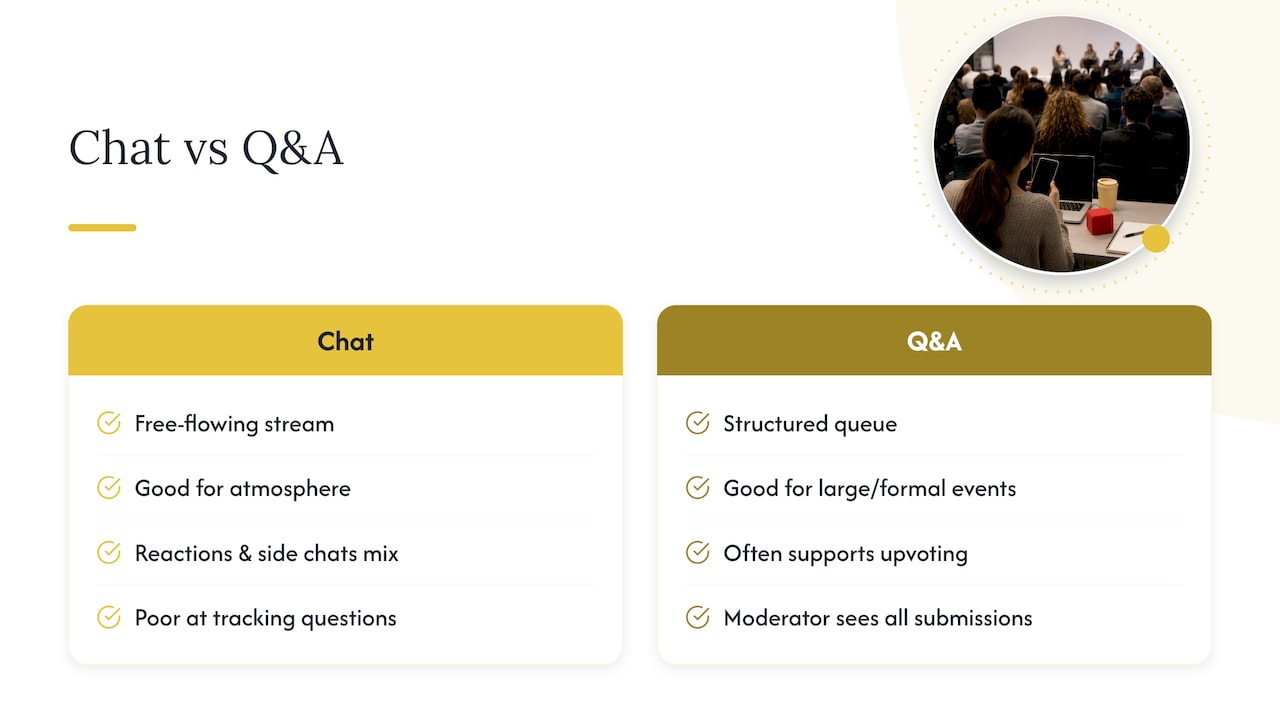
Chat and Q&A are not interchangeable, and confusing the two is one of the most common planning mistakes we see. Chat is a free-flowing stream where comments, reactions and side conversations all mix together, which makes it good for building atmosphere but poor for tracking unanswered questions. Q&A is a structured queue, often with upvoting, where a moderator can see every submission in one place and mark items as answered.
For a large or formal event, Q&A alone keeps the signal clean. For a small, informal session, chat can work as the only channel if a notetaker is actively reading and surfacing the best questions. Running both at once without a plan tends to split attention and bury good questions in noise, which is why sparqs guidance on accessible webinars recommends telling attendees explicitly which feature to use, since switching between the two adds unnecessary cognitive load for neurodiverse participants in particular.
A sensible default: use Q&A as the official channel for questions you intend to answer, and treat chat as a secondary space for reactions and informal comments that the moderator can skim but does not need to action.
Best practices for engaging students during live Q&A to enhance learning
Live Q&A sessions in a maths context work best when they feel like a conversation about problem-solving rather than a lecture with a question slot bolted on. Starting with a worked example and inviting students to spot where they would get stuck tends to produce far more useful questions than a generic “any questions?” at the end.
Keeping answers tied to exam technique, not just the maths itself, makes sessions more useful for revision. Explaining why a method earns marks, not only how it works, helps students connect a live answer to what they will actually need to do under exam conditions.
Short, frequent check-ins work better than one long Q&A block at the end of a session. Pausing every few minutes to ask whether a method made sense catches confusion while it is still cheap to fix, rather than after twenty more minutes of content have been built on a shaky foundation.
Techniques for encouraging student participation and question formulation
Many students hesitate to ask questions live because they worry the question sounds obvious. Normalising this directly, by saying plainly that the most useful questions are often the simplest ones, tends to open the floor more than any amount of general encouragement.
Giving students a sentence starter helps too. Prompts like “I don’t understand the step where…” or “Why does this method work for…” give students a structure to lean on when they are not sure how to phrase what is confusing them.
Anonymous submission options matter as much in an educational context as in a corporate one. A student who would never put their hand up to admit confusion about a topic will often type the same question into an anonymous Q&A box without hesitation.
Rewarding good questions publicly, by acknowledging when a question highlights a genuinely common misconception, reinforces that asking is valuable rather than something to be embarrassed about.
Integrating live Q&A sessions with revision materials and exam preparation strategies
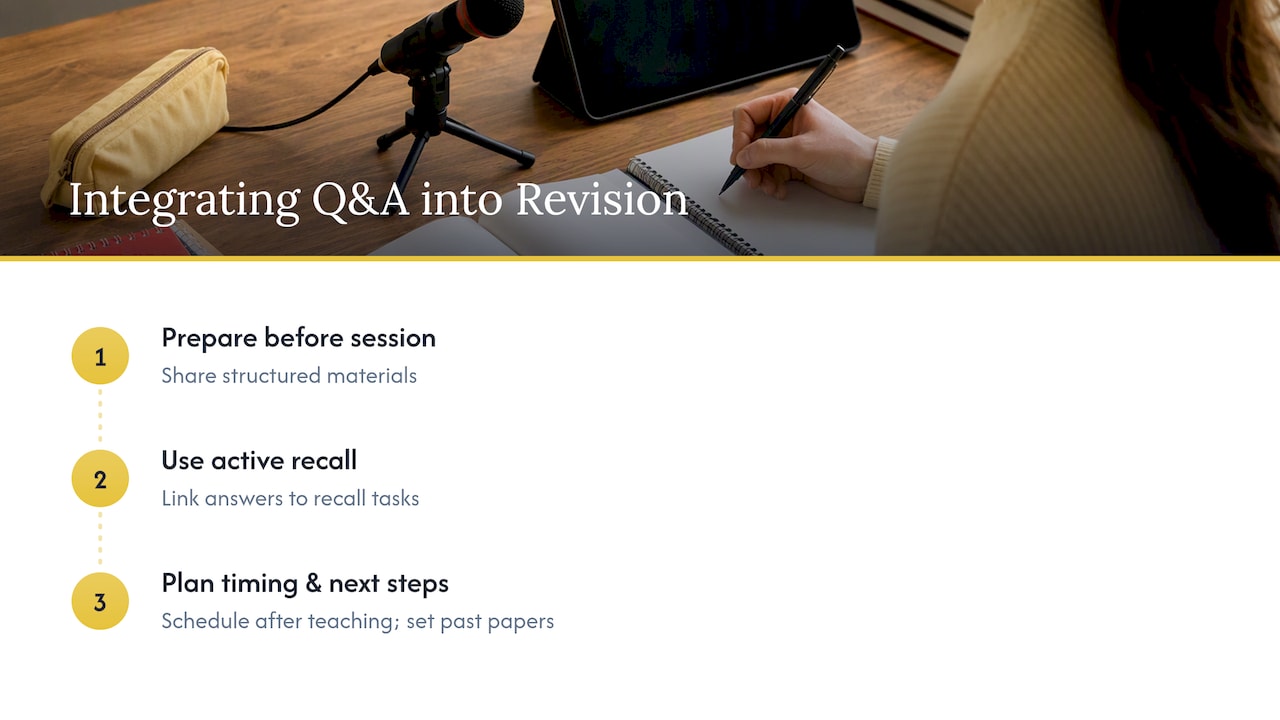
A live Q&A session works best as part of a wider revision cycle rather than as a standalone event. Pointing students towards structured materials before the session, so they arrive having already attempted relevant past paper questions, means the questions that come up are specific and exam-focused rather than vague requests to “explain topic X again”.
Linking the session directly to active recall techniques for maths gives students a concrete way to use what comes out of the Q&A afterwards, rather than letting the answers sit unused in a transcript. A session that ends with a clear next step, such as a specific set of past paper questions to attempt, converts the live conversation into measurable revision progress.
Timing matters too. Scheduling live Q&A sessions shortly after a topic has been covered in class, rather than only in the final weeks before an exam, means misunderstandings get caught early rather than compounding. Sessions scheduled closer to exam dates can then shift focus towards exam technique and mark allocation rather than fundamentals.
Handling frequently asked questions and common misconceptions in maths live Q&A
Certain misconceptions reappear across nearly every maths Q&A session, and preparing saved answers for these in advance saves significant time during the live event. Confusion between method marks and accuracy marks is one of the most common, with students often assuming that a correct final answer alone guarantees full marks when working is also required.
Sign errors, particularly around negative numbers in algebra, and confusion over when to round versus when to leave an exact value, come up repeatedly across topics and exam boards. Having a short, clear explanation ready for each of these means the moderator can post an instant answer rather than making students wait for the host to type a full response live.
Grouping these recurring questions into a resource that students can refer to before the session even starts can reduce how often they arise, freeing up live time for the less predictable, more specific questions that genuinely need a live response.
Using analytics and feedback from live Q&A sessions to improve future study guides and materials
The questions asked during a live Q&A are a direct signal of where revision materials are falling short. A topic that generates a disproportionate number of questions in every session is very likely a sign that the written explanation for that topic needs revisiting, not that students are simply struggling with maths in general.
Tracking which questions come up repeatedly across multiple sessions, rather than treating each one as an isolated event, builds a genuinely useful picture over time of where students consistently get stuck. This pattern recognition is more reliable than relying on a single session’s feedback.
Short follow-up surveys asking which parts of a session were most useful, combined with a simple count of how many questions were submitted per topic, give organisers a practical basis for deciding what to expand in future study guides and where existing materials need a rewrite rather than a minor edit.
What running live Q&A has taught us about getting it right
The clearest improvement we have seen in session quality came not from better questions but from better moderation. Once we assigned a dedicated notetaker to read questions aloud and enabled live captions as standard, participation from quieter attendees rose noticeably, and the sessions felt calmer to run.
If you prioritise one thing first, make it this: get your moderation and accessibility basics solid before you worry about format or polish. Everything else builds on that foundation.
— Oloru
An alternative approach: how we run live Q&A for maths students
Everything above applies broadly across webinars and online events, but subject-specific learning has its own demands. We run weekly live Q&A sessions built specifically around GCSE and A-Level maths, where students bring exam-style questions and leave with a worked method they understand, not just a final answer.
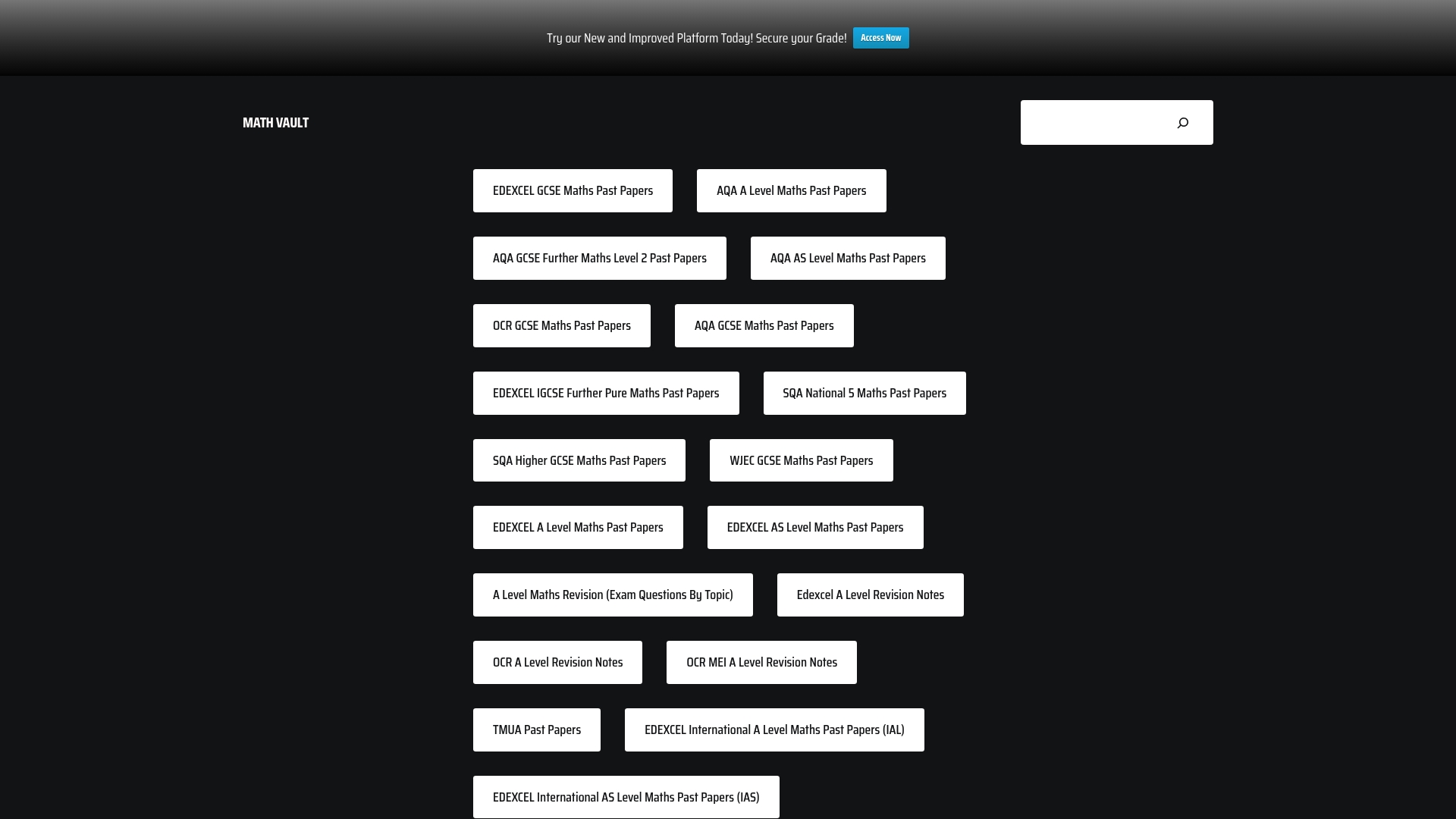
- Sessions are paired with past paper questions organised by exam board, so students arrive with specific questions rather than vague topics.
- Every session connects back to our structured GCSE maths revision guides, so the live conversation fits into an ongoing revision plan rather than standing alone.
- We also offer past papers with self-marking and live Q&A built in, for students who want to check their own working before asking us where it went wrong.
If you organise study sessions or support students preparing for exams, live Q&A sessions can be free to join and built around common student difficulties.
FAQ
What is the best way to moderate questions in a live Q&A?
Assign a dedicated moderator separate from the host, so questions can be triaged and grouped while the host keeps presenting without interruption. A notetaker reading questions aloud, as recommended in sparqs guidance on accessible webinars, also supports attendees who struggle to keep up with fast-moving text.
Do I need live captions for an online Q&A session?
Live captions with speaker identification are a core part of accessible event delivery under UK guidance, and a full transcript should be published afterwards. GOV.UK accessibility requirements specify that captions should stay in sync and identify speakers and non-speech sounds.
How should we handle personal data shared during live Q&A?
Treat chat and Q&A logs as a genuine data protection risk, since attendee names and personal details often appear in them. ICO guidance on events and GDPR recommends defining a redaction policy in advance and removing personal information before publishing any recording or transcript.
What should we test before running a live Q&A session?
Test captions, screen reader behaviour on slides, and keyboard navigation of every interactive feature before the event, not during it. GOV.UK’s accessibility blog recommends this full rehearsal to catch faults while there is still time to fix them.
Does MathVault offer live Q&A sessions for maths students?
We run free weekly live Q&A sessions for GCSE and A-Level maths students, paired with past papers organised by exam board and structured revision guides. You can start with our GCSE maths revision guides to see how the sessions fit into a wider revision plan.
Sources
- Top tips for hosting accessible and inclusive online events
- Accessibility requirements for public sector websites and apps
- Ensuring your webinars are accessible (sparqs)
Leave a Reply